Brand URL
Whitelabel Brand URL For Reseller
Stack Console provides two whitelabeling options for resellers to offer a branded experience to their customers:
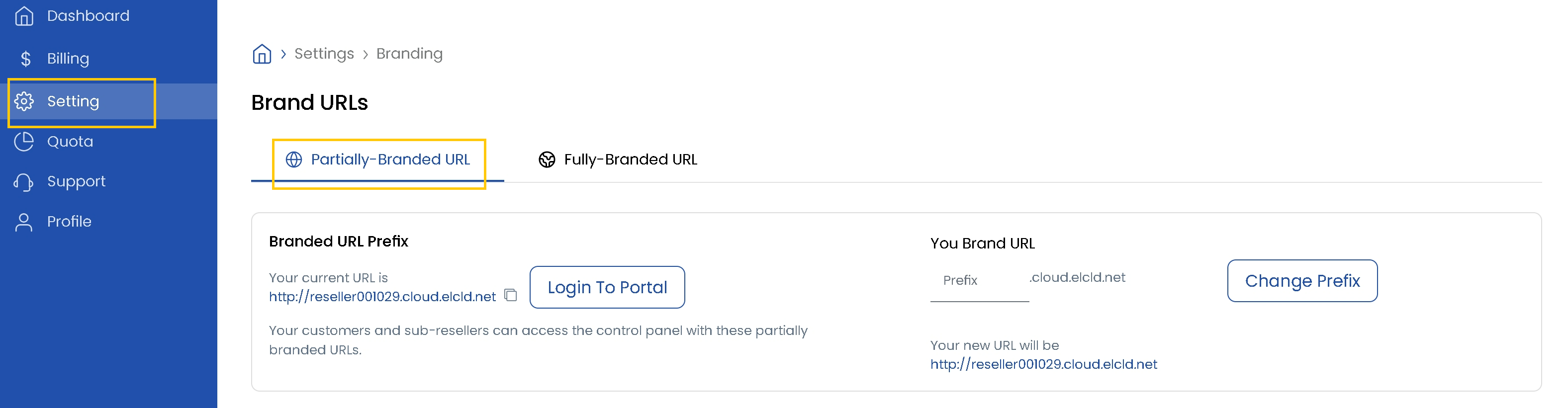
Partially Branded URL
With this option, a temporary, partially branded URL is created by default. Your customers and sub-resellers can use this URL to access the control panel.
- Click the Login To Portal button to access the control panel via the partially branded URL.
- You can customize the URL by updating its prefix. Enter your desired prefix and click Change Prefix.
- Your new URL will be generated and ready for use.
Fully Branded URL
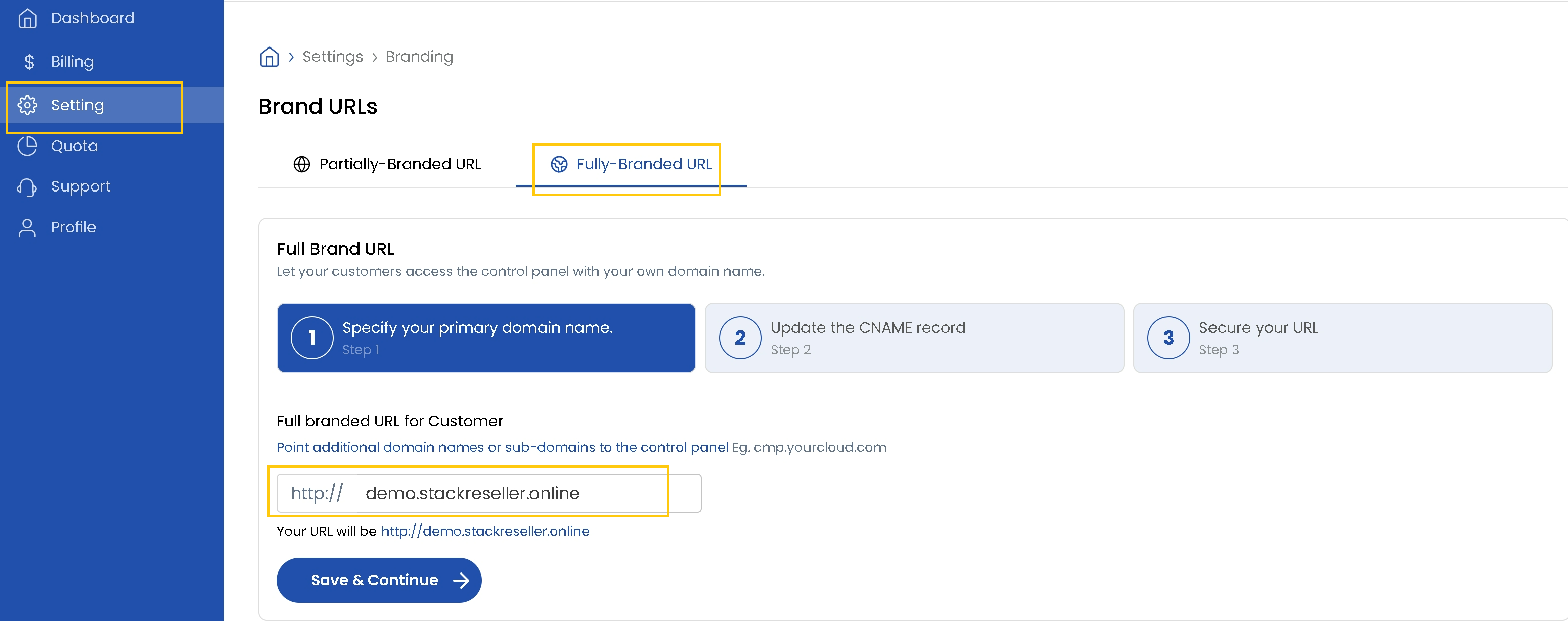
This option allows you to use your own domain name for full whitelabeling of the control panel.
- Add your primary domain and click Save & Continue.
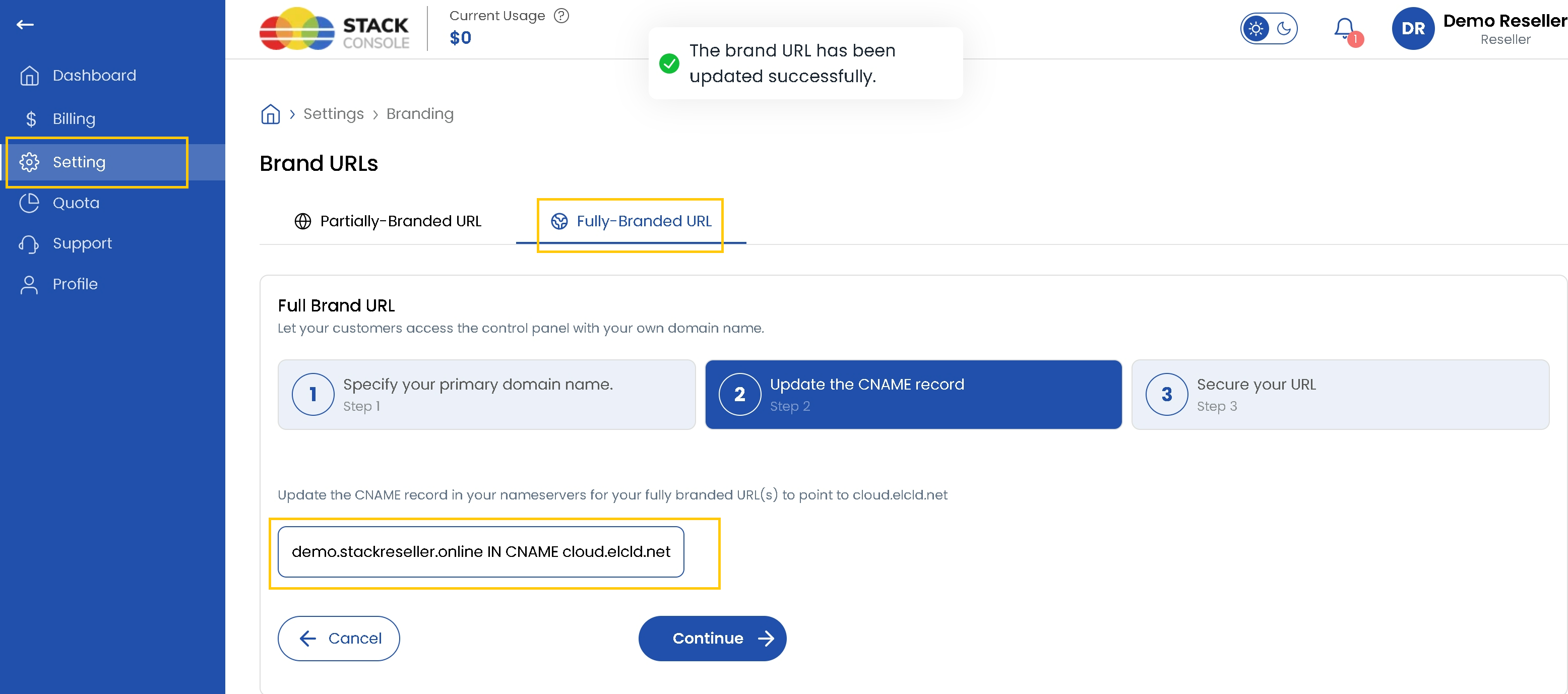
- Update CNAME Record in your domain's DNS settings. Add a CNAME record pointing your chosen subdomain to the company's private URL.
- Once the DNS changes are made, click Continue.
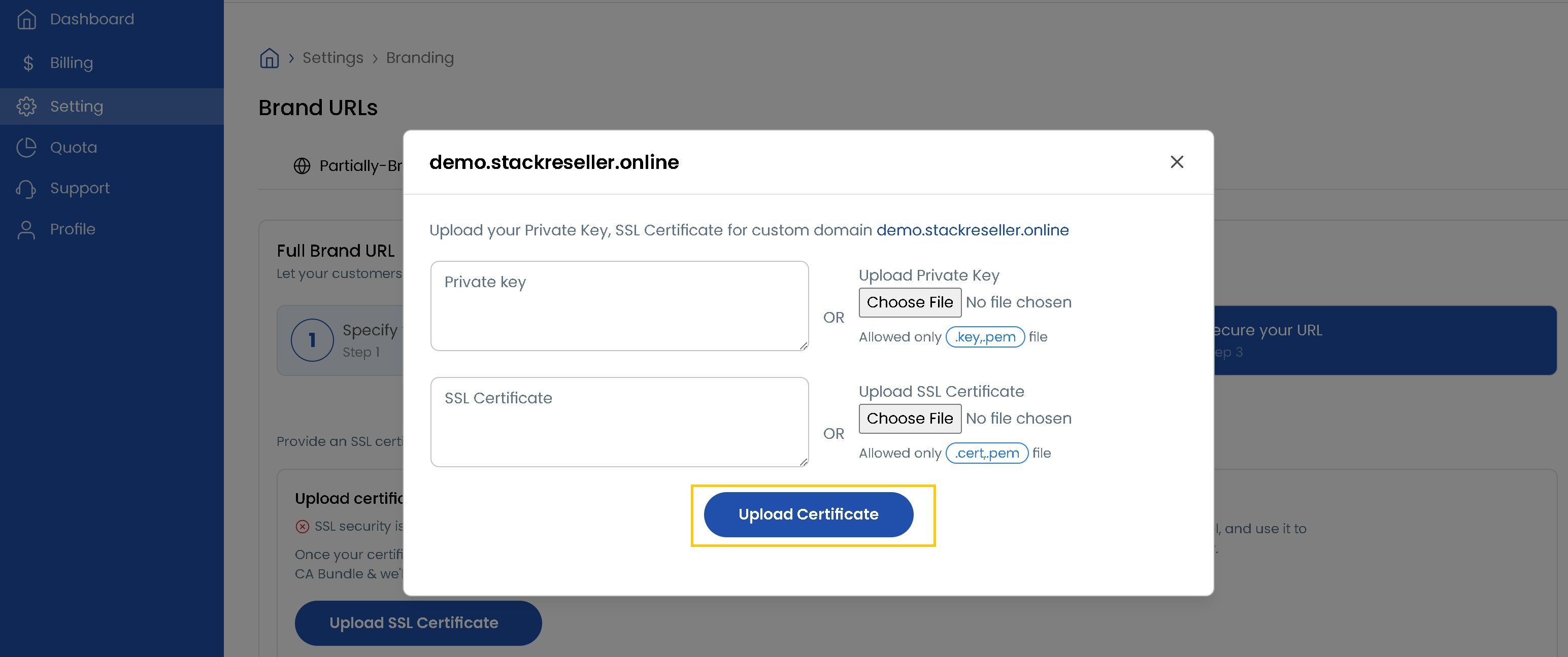
- Click on Upload SSL Certificate. Upload the Private Key file and SSL Certificate file.
- You can either choose files or paste the contents directly into the provided fields.
- Click Upload Certificate to apply SSL encryption to your fully branded URL.
Conclusion
Stack Console's whitelabel options provide flexible branding solutions, from quick-start partially branded URLs to fully customized domains with SSL security.